Features Built for Results
Every feature in NutriMotion is designed with one goal in mind: helping you reach your fitness goals faster and more efficiently than ever before.
Nutrition Tracking
Log meals, track macros, create recipes, and monitor your nutrition with powerful yet simple tools.
Learn more about Nutrition Tracking →Lightning-Fast Food Logging
Log meals in seconds with a streamlined search and add interface. Spend less time on data entry and more time eating.
Complete Nutrition Insights
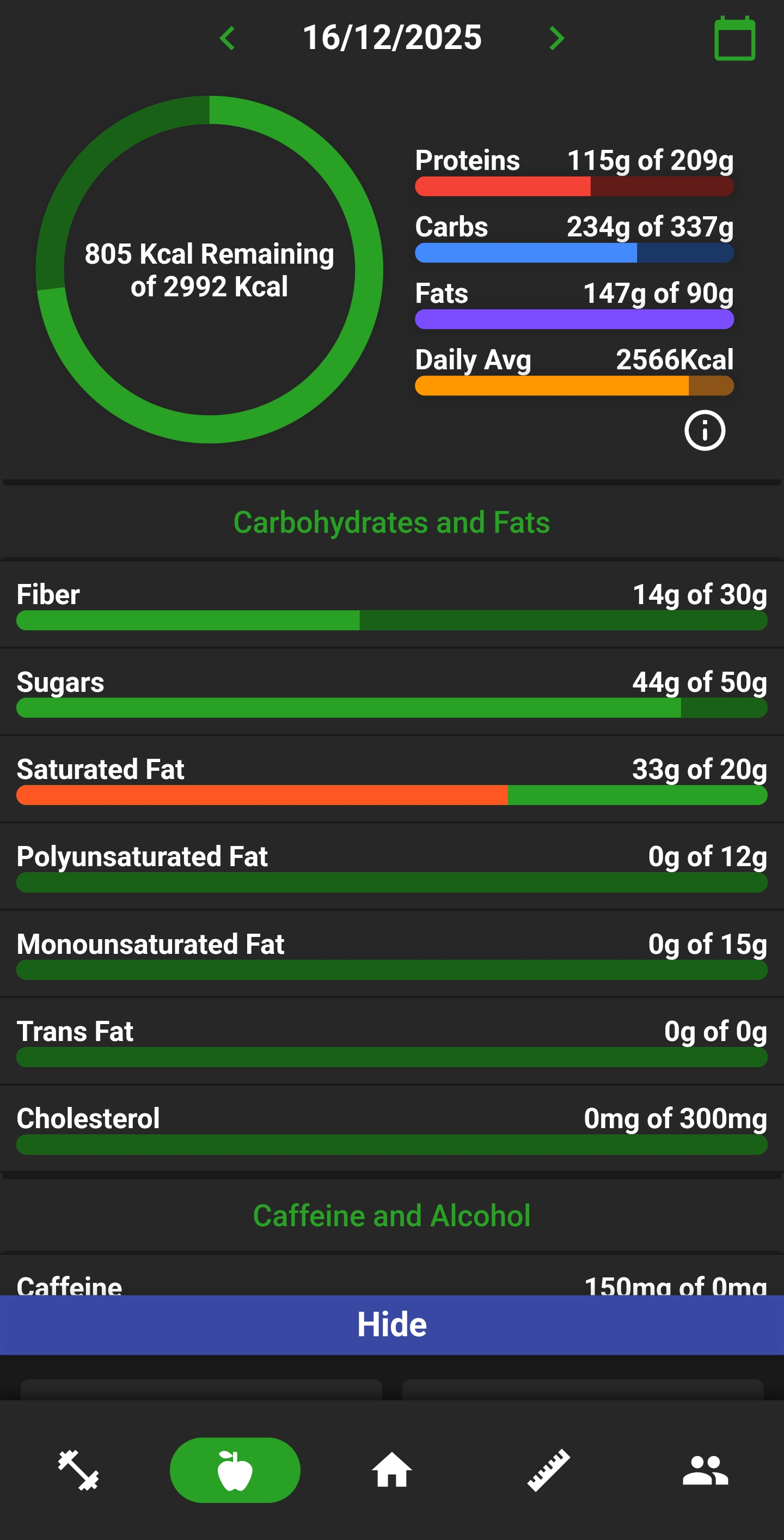
Go beyond calories. Track proteins, carbs, fats, fiber, vitamins, and micronutrients with detailed breakdowns that give you the full picture.
Stay Hydrated
One tap to log water. Simple hydration tracking that helps you hit your daily goals without getting in the way.
Create Custom Recipes
Build recipes with accurate nutrition info calculated from ingredients. Great for meal prep or tracking homemade favourites.
Nutrition Label Scanner
Scan a nutrition label, check the results, make quick edits, and save the food for next time.
Meal Plans
Plan your week, preview each day, and see how your meals add up before you start.

Macro Goals
Set calorie, protein, carb and fat targets that match the way you want to eat.

Average Calorie Trends
Compare each day of eating against your goal, with dotted average lines that make it easy to see if your intake is trending where you want it.

Nutrition Reminders
Set friendly reminders for meals, weigh-ins and the habits you want to stick with.

Ready to take control of your nutrition?
Start your free trial today.


Workout Management
Plan, track, and optimize your training with comprehensive workout tools.
Learn more about Workout Management →Create Training Plans
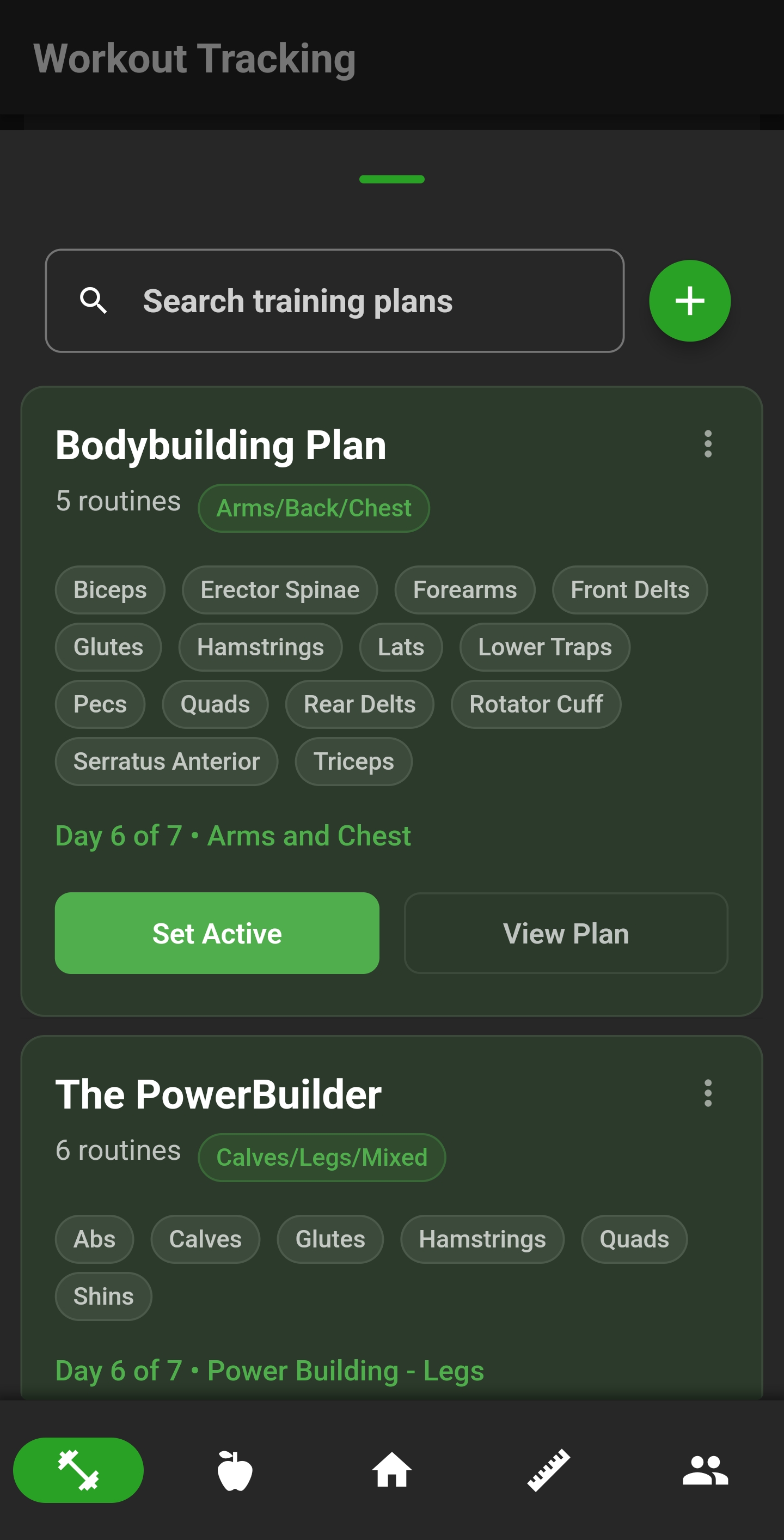
Build workout programs with multiple routines and tag muscle groups. Keep everything organized and track your progress through each training day.
Build Custom Routines
Add exercises, organize by day, and structure your training exactly how you want it. No templates to follow unless you want to.
Visual Muscle Targeting
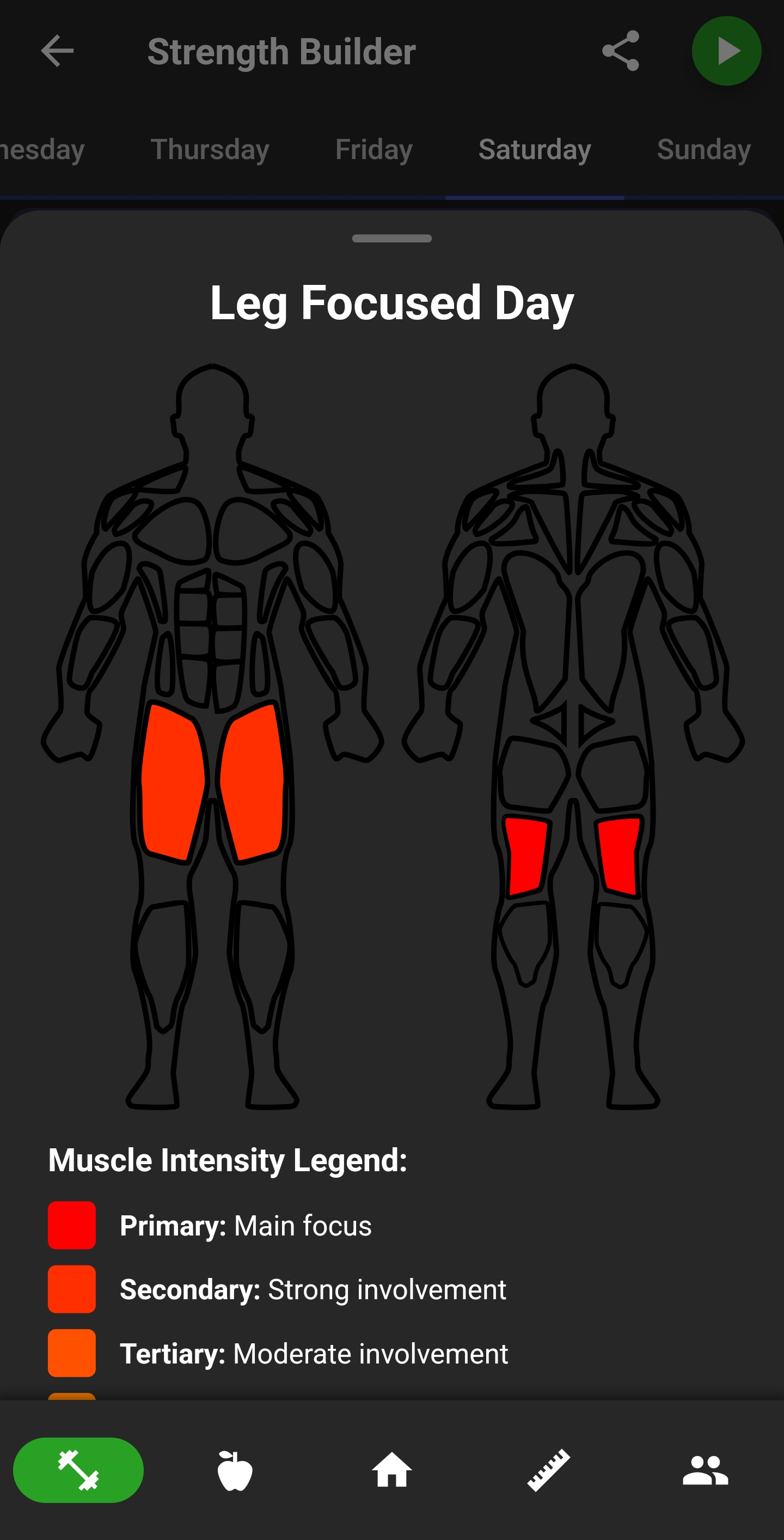
See which muscles each routine hits with anatomical diagrams. Primary and secondary muscle groups are shown so you can build balanced programs.
Effortless Workout Logging
Track sets, reps, and weight with just a few taps. The interface stays out of your way so you can focus on training.
Custom Exercise Muscles
Fine-tune exercise muscle targets and keep your routine diagrams accurate to the way you train.
Training Calendar
See your strength and cardio sessions on a monthly calendar, including upcoming goal deadlines and the dates you hit your targets.

Workout Coach
Get guided through each exercise with suggested weights and reps, so every set has a clear next step.

Workout Recaps
See a recap of your workouts, if you hit personal bests and share them to social media.

Exercise Progress Graphs
See how an exercise is improving over time with simple graphs for your past performance.

Exercise Muscle Breakdown
Open an exercise and see the muscles it targets, helping you understand exactly what each movement is training.

Exercise Goals
Set goals for individual exercises and keep your next target visible every time you train.

Build a training plan that fits your week
Keep routines, logs and progress in one place.
Cardio & GPS
Generate, create, share and follow routes with directions for runs, walks, rides and hikes.
Learn more about Cardio & GPS →Start Tracking and Go
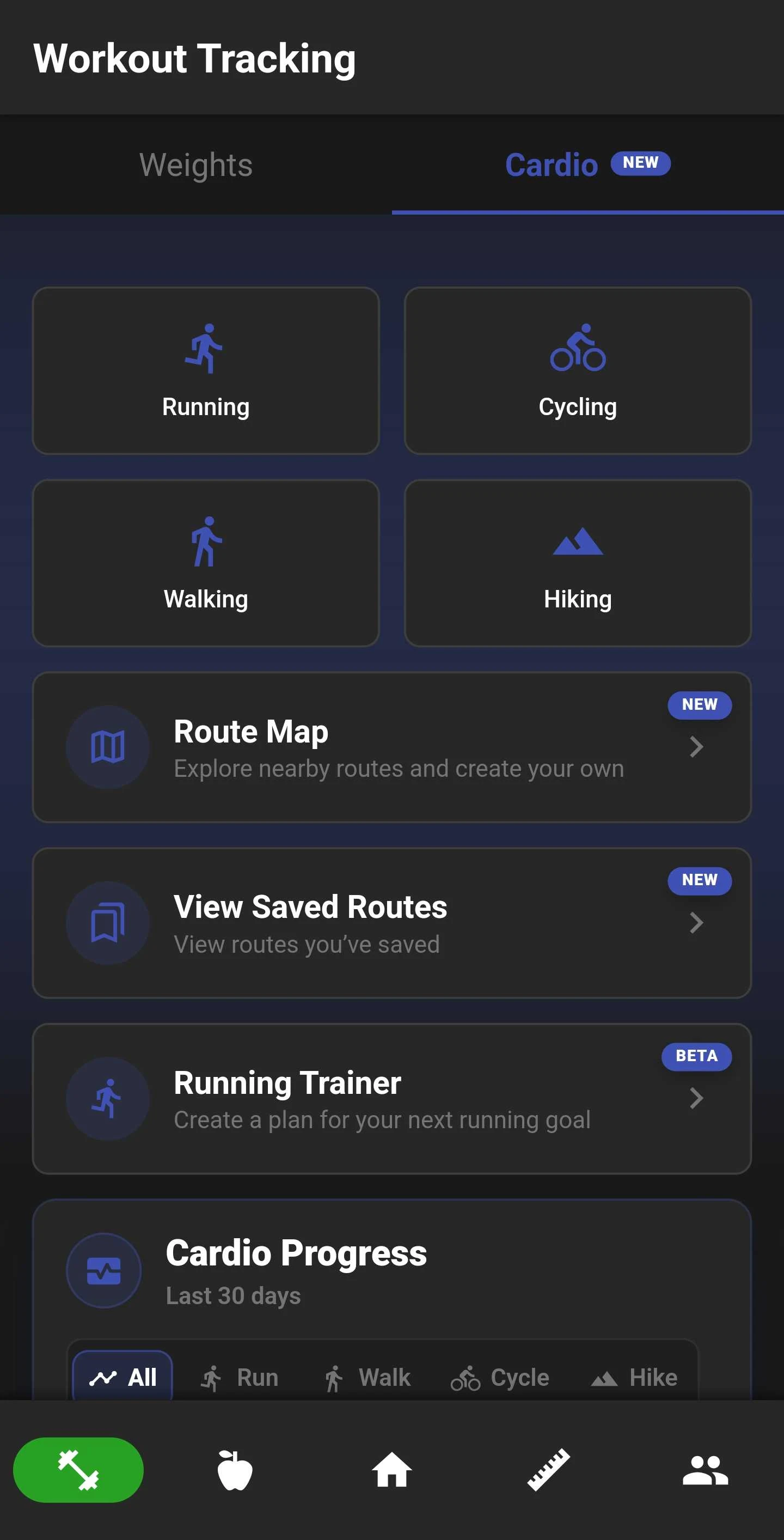
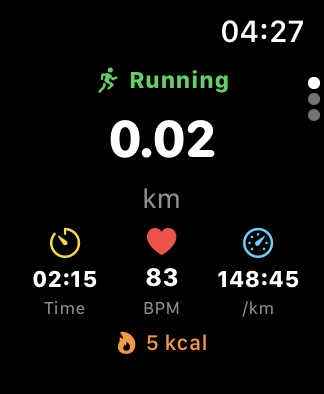
Choose running, walking, cycling or hiking and start recording from your phone or watch. You can track wherever you go without choosing a planned route.
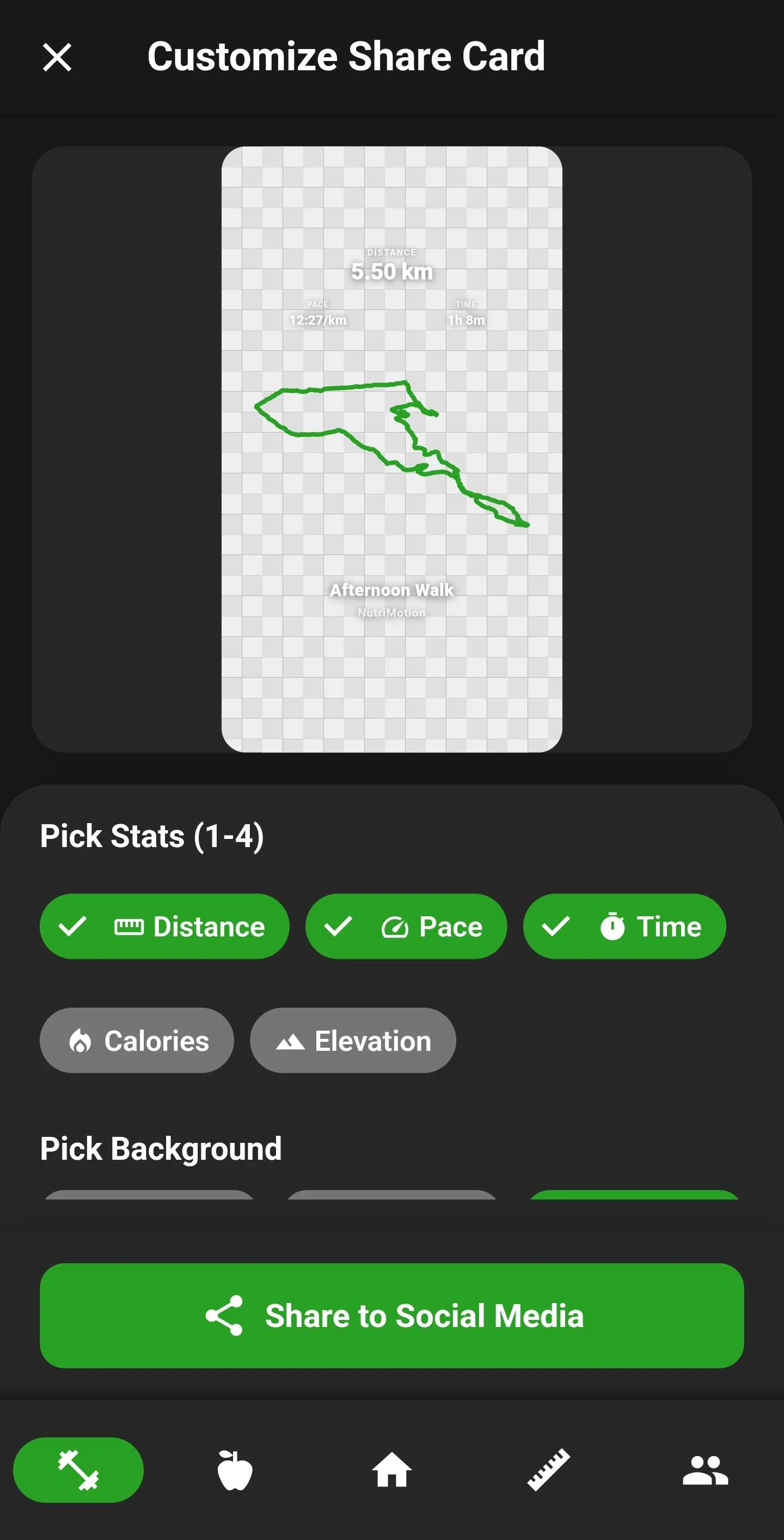
Share Your Activity
Create a share sticker with the stats you choose. Add your route outline, pick a background or keep it transparent, then share it to social media.
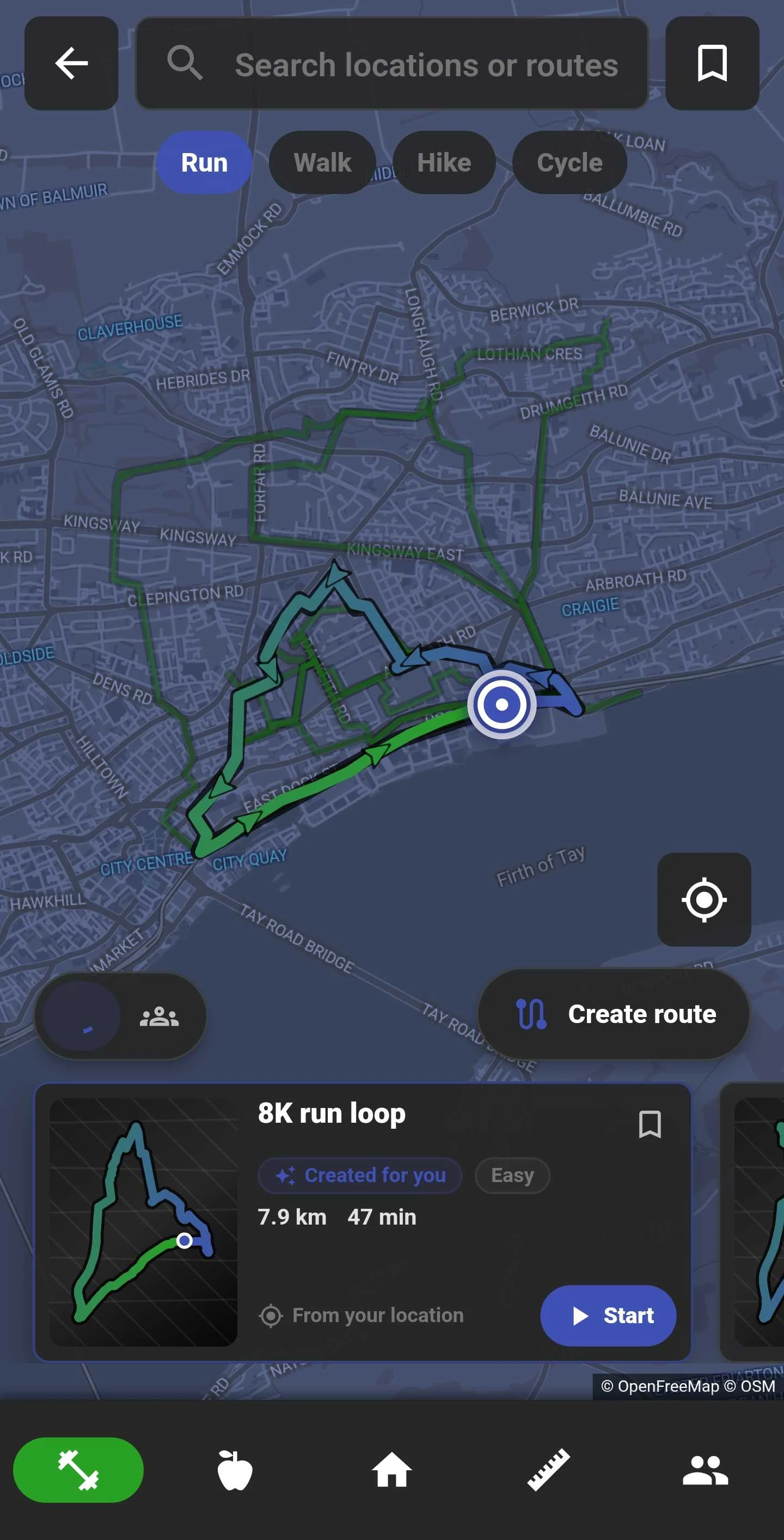
Route Map
Find your next run, walk, ride or hike. Generate a route nearby, create your own or open one shared with you, then follow it with directions as you move.
Generate a Route Video
Turn a completed GPS activity into an animated route video. Generate it, then save the finished video or share it with friends.
Cardio History
Review recent cardio workouts with distance, duration and date at a glance.

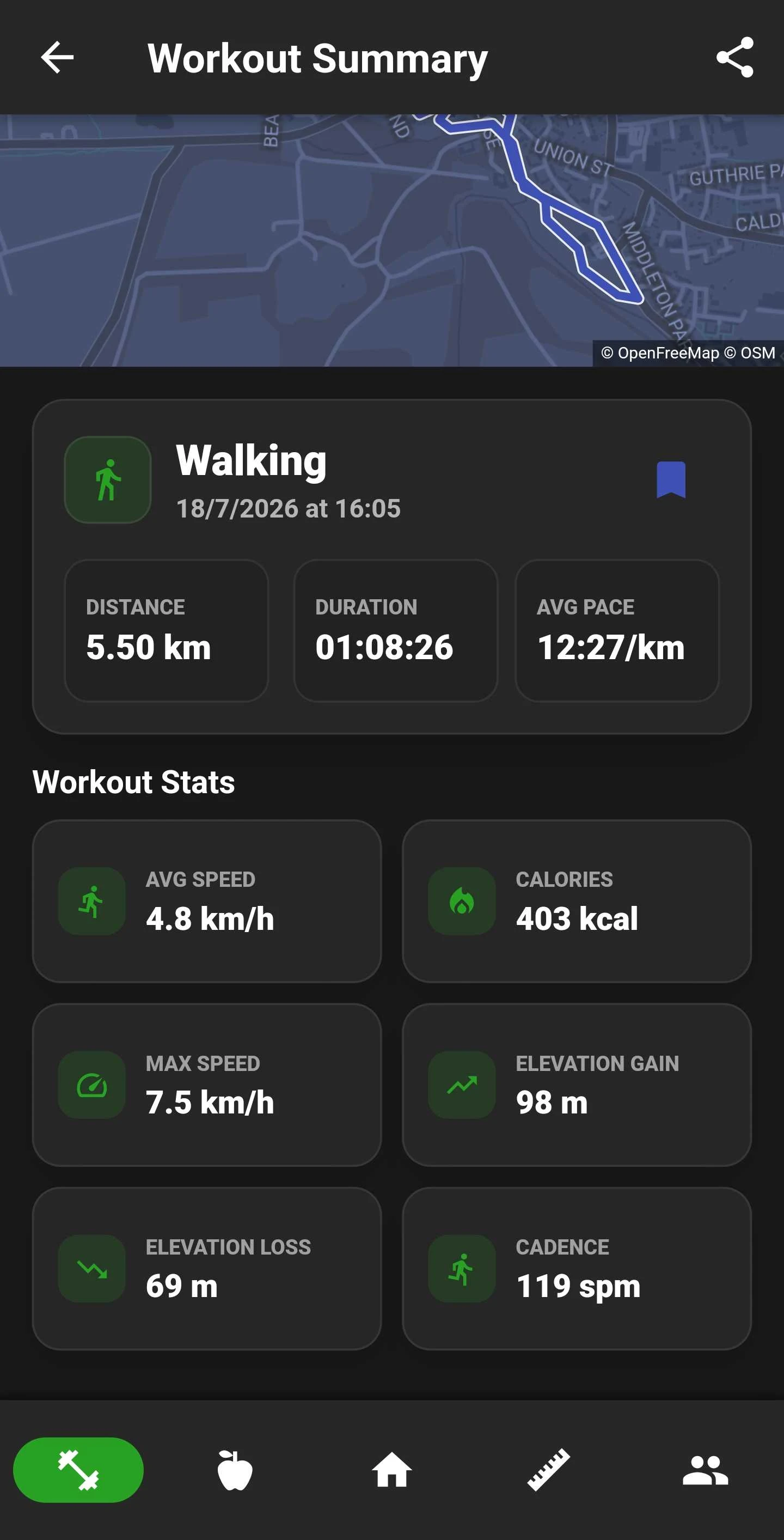
Route Summaries
Open completed routes with your map, pace, calories and elevation in one clear summary.
Track the whole session
Log cardio routes, workouts and progress without switching tools.
Wearables
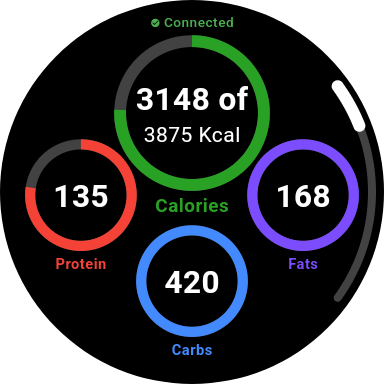
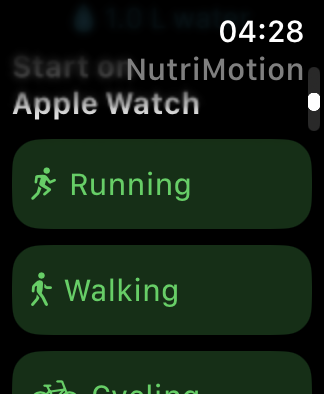
Keep routes, directions, workouts and daily nutrition close on Apple Watch and Wear OS.
Learn more about Wearables →Wear OS
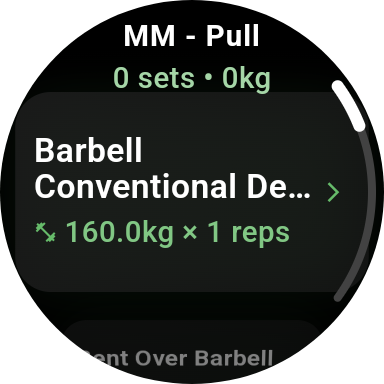
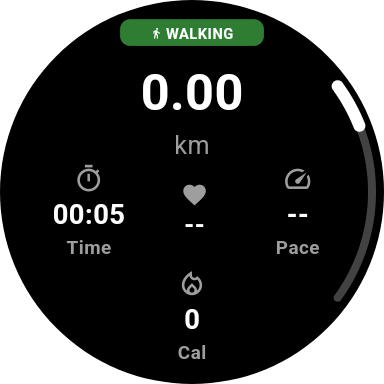
Track cardio, log strength workouts and check nutrition on Wear OS. Follow your route over the map and see directions on your wrist, with workout data connected to NutriMotion on your phone.
Apple Watch
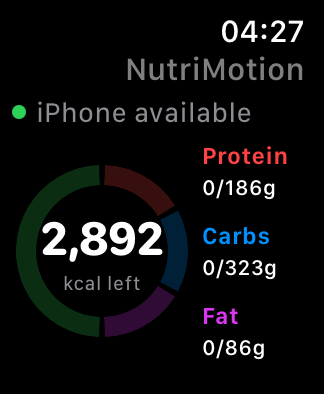
Check your calories and macros, choose an activity, and log strength workouts from Apple Watch. Follow routes and directions on your wrist while your activity stays connected to NutriMotion.
Progress & Analytics
Visualize your transformation with detailed tracking and insights.
Learn more about Progress & Analytics →Track Your Progress
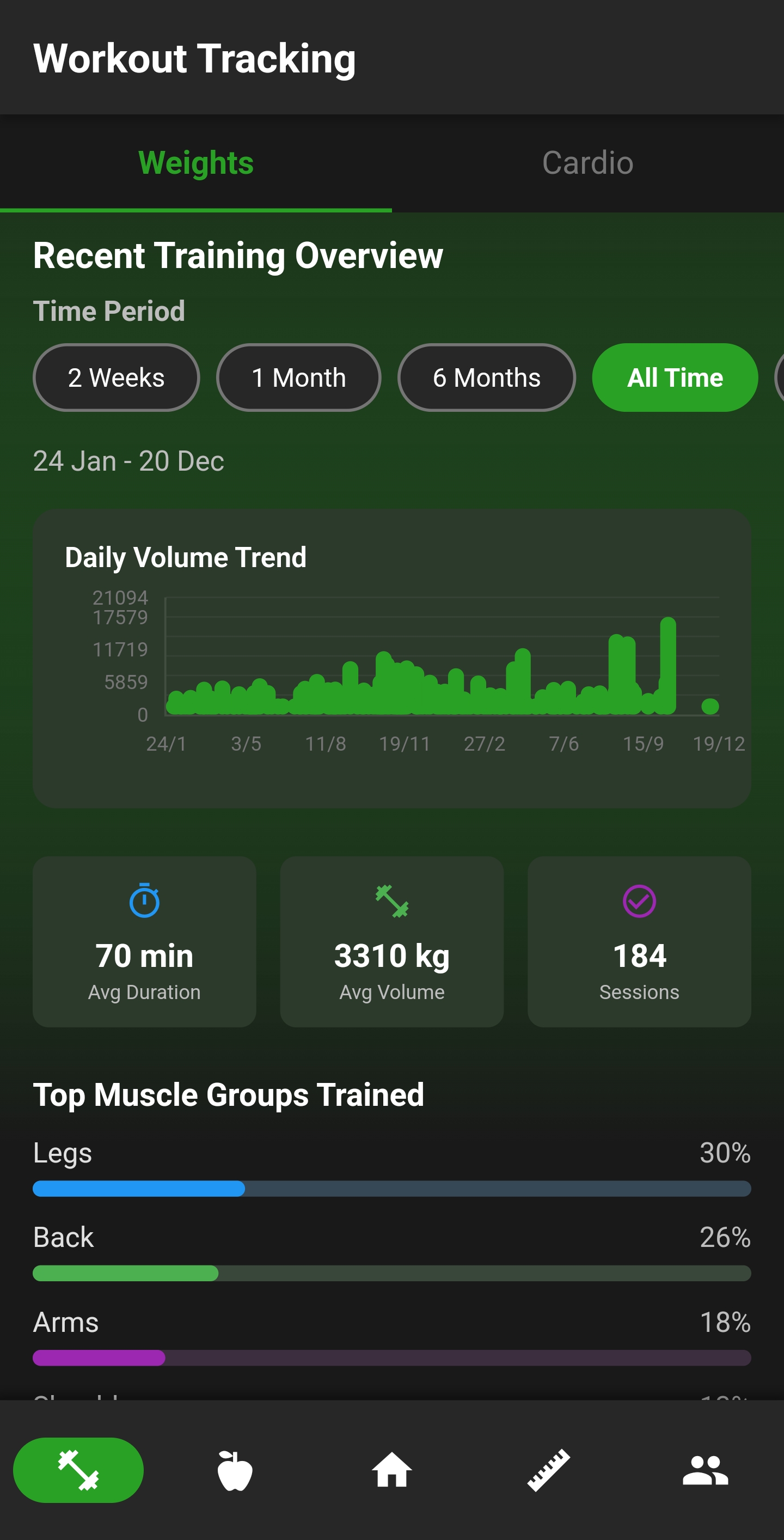
View training volume trends, session stats, and muscle group breakdowns over time. Charts and graphs make it easy to spot patterns and stay on track.
Body Measurements
Log weight and body measurements to track changes over time. Watch your numbers move in the right direction.
Muscle Coverage Heatmap
See which areas you trained over a selected period, making it easier to spot muscles you may be missing or using less.

Muscle Detail Analysis
Break down larger muscle groups into details like quads, hamstrings, biceps, triceps and forearms to see where your training is going.

Weight Trends
Track body weight over time, switch date ranges and update entries whenever you need.

Measurement Dashboard
Track the measurements that matter to you, from waist and chest to shoulders, legs and custom entries.

Goal Insights
Compare recent calories with your goal and see whether your progress is matching the plan.

Dashboard Trends
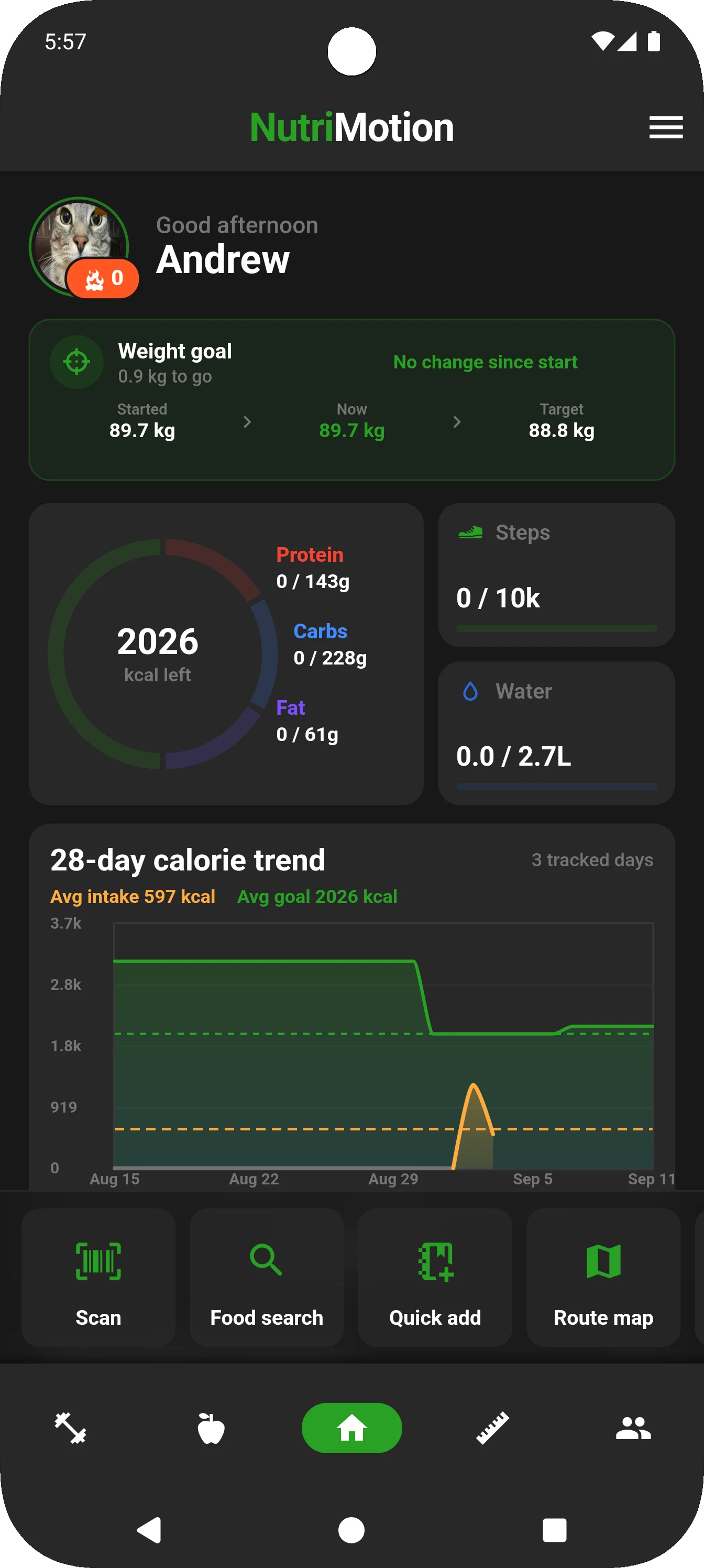
Keep weight, calorie averages and macro progress right on your home dashboard.
See how far you've come
Track every rep, every meal, every milestone.
Dashboard
See daily progress and jump straight into food logging, workouts or the Route Map.
Learn more about Dashboard →Dashboard
Open NutriMotion and get straight to what you need: scan or search for food, quick-add a meal, start a workout, or open the Route Map in seconds.
Strength Rankings & Progression
Level up your lifts, earn badges, and stay motivated every time you train.
Learn more about Strength Rankings & Progression →Level Up Your Lifts
Earn ranks as you get stronger. Watch your exercise rankings climb as you keep showing up and putting in the work.
Strength Profile
See your exercise levels, best sets and estimated one-rep maxes in one place.

Badges and Streaks
Earn badges for strength progress, consistent nutrition tracking, regular weigh-ins and app streaks.

Exercise Progression
See how each exercise is progressing and what milestone comes next.

Social, Friends & Groups
Connect with friends, join groups, share plans, compete, and keep each other moving.
Learn more about Social, Friends & Groups →Your Fitness Community
Share your profile, show off your streak, and connect with others. A little friendly competition never hurt anyone.

Groups
Create groups, invite members, follow group goals, view recent activity and take part in competitions.

Group Activity
Keep up with recent group updates and member activity from one hub.

Strength Comparison
Compare exercise levels, best sets and estimated one-rep maxes with another user.

Bring friends and groups into the routine
Share selected fitness moments while keeping private data private.
Personalisation & Settings
Set your goals, units, reminders, health connections and home layout your way.
Learn more about Personalisation & Settings →App Preferences
Set units, choose light or dark mode, adjust haptics, pick your colour scheme and turn off features you do not use.

Habit Reminders
Set reminders for meals, weigh-ins and the routines that help you stay consistent.
Connected Settings
Choose units, connect supported health data and manage the wearable experience linked to NutriMotion.
Health Integrations & Widgets
Connect supported health data and keep Android nutrition widgets close to hand.
Health Data and Home Widgets
Connect Apple Health or Google Health Connect, and use Android home widgets to check current food intake without opening the app.
Ready to Get Started?
Download NutriMotion and start tracking your nutrition and workouts today.