Open NutriMotion and tap the Diet tab in the bottom navigation. Choose the meal you want to log food under, such as Breakfast, Lunch, Dinner, or Snacks, then tap Add Food. Search for the food, open the result, check the serving amount, and save it to that meal. NutriMotion then adds the calories and nutrition values into your daily diary.
Back to Features
Feature guide
Nutrition tracking that gets faster the more you use it in NutriMotion
NutriMotion helps you track food without turning every meal into a chore. Log meals under Breakfast, Lunch, Dinner and Snacks, adjust servings before saving, scan barcodes, create recipes, build reusable meal plans and review detailed nutrition totals across calories, macros, water and micronutrients.
Barcode scanning and manual barcode entryLookup from stored data with external fallbackNutrition label scanner with review before savingSupport for calories, macros, fibre, sugars, fats and micronutrient fields
Barcode and nutrition label scanning
For packaged foods, NutriMotion supports barcode lookup and nutrition label scanning. Barcode lookup helps find known foods quickly, while the label scanner helps extract nutrition values from a nutrition table so the user can review, correct and save the result.
- Barcode scanning and manual barcode entry
- Lookup from stored data with external fallback
- Nutrition label scanner with review before saving
- Support for calories, macros, fibre, sugars, fats and micronutrient fields
Detailed nutrition, not just calories
NutriMotion can track more than calories and basic macros. Where data is available, it stores detailed nutrition fields including fibre, sugars, fats, minerals, vitamins, omega values, caffeine and more.
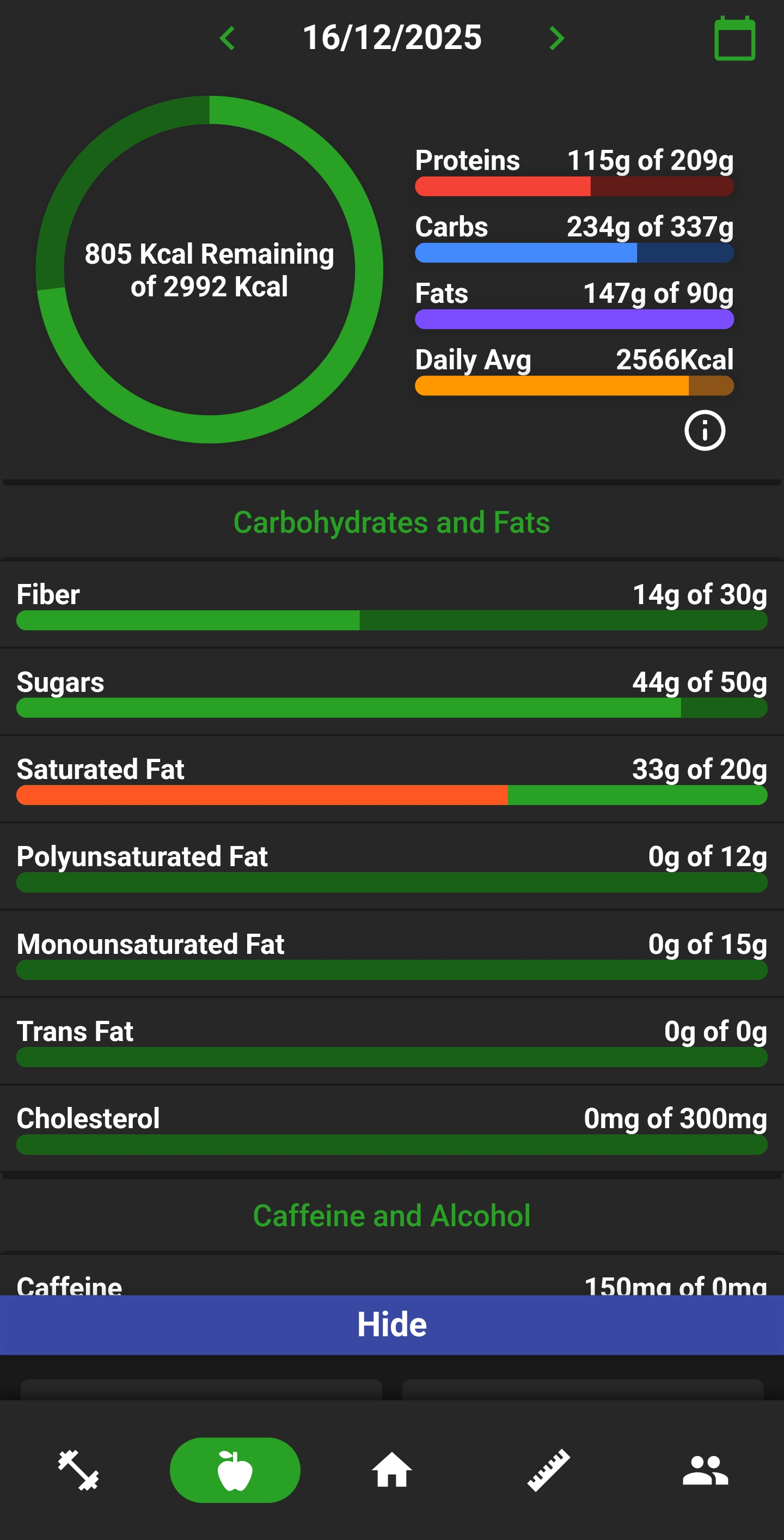
- Calories, protein, carbs and fats
- Fibre, sugars and fat breakdowns
- Vitamins and minerals
- Omega 3 and omega 6
- Caffeine and other detailed fields where available
- Weekly averages for nutrition consistency
Recipes and meal plans
NutriMotion supports custom recipes and reusable meal plans. Recipes can be logged like foods, while meal plans can be built by weekday, previewed by meal category and applied to the diary when needed.
- Create custom recipes
- Add recipes to diary or meal plans
- Build weekly meal plans
- Preview planned foods by category
- Apply planned meals and water to the diary
- Duplicate, reorder and reuse meal plans
Food search that remembers your habits
NutriMotion food search is designed around repeat logging. It can surface recent, frequent and suggested foods based on the meal category you are logging into, so breakfast suggestions can differ from lunch, dinner or snack suggestions.
- Meal-category-aware food history
- Recently used and frequently used foods
- Suggested foods for the selected meal category
- Search across history, recipes, custom foods and external food data
- Offline-tolerant fallback behaviour where cached data is available
Smart food diary
Log food into Breakfast, Lunch, Dinner and Snacks so your day is organised the way you actually eat. NutriMotion shows meal-level calories, protein, carbs and fats, while daily totals update as foods are added or edited.
- Breakfast, Lunch, Dinner and Snacks
- Calories and macros per meal
- Daily totals across food, water and exercise calories
- Date navigation for today, yesterday, tomorrow and historical diary days
Questions about nutrition tracking
Yes. From the Diet tab, open the meal you want to add food to and use the barcode scan option beside the Add Food action. For nutrition labels, use the nutrition label scanner flow, scan the label, review the detected calories and nutrients, correct anything that looks wrong, then save the food so it can be reused later.
Go to the Diet area and open the recipe creation flow. Add the ingredients that make up the recipe, set the servings, and save it. NutriMotion calculates the nutrition from the ingredients, so you can log one serving of the recipe later without rebuilding it every time.
Open the Home tab, tap the menu button in the top right, then go to Update Calories Goals or Update Calories Percentages. Use Update Calories Goals when your calorie target, body goal, or activity setup needs changed. Use Update Calories Percentages when you want to adjust how calories are split between protein, carbs, and fats.
Yes. NutriMotion is designed to show more nutrition detail than just calories. Food entries can include protein, carbs, fats, fibre, vitamins, minerals, and extra nutrition fields when available. The goal is to make the Diet tab useful for both quick calorie logging and deeper nutrition review.
Related features
See how nutrition tracking fits into the full app
NutriMotion connects food, workouts, cardio, progress and social tools so each area supports the others.