Tap the Workouts tab in the bottom navigation. From the workout home area, use the training plan controls to create a new plan. Give the plan a name, add routines or training days, then add exercises to those routines. Once saved, the plan can be opened again from the training plans list.
Back to Features
Feature guide
Workout tracking for routines, training plans and real progress in NutriMotion
NutriMotion is built for more than checking off a workout. Create training plans, build routines, log sets and reps, track exercise progress, review training history and use recaps to understand how your lifting is improving over time.
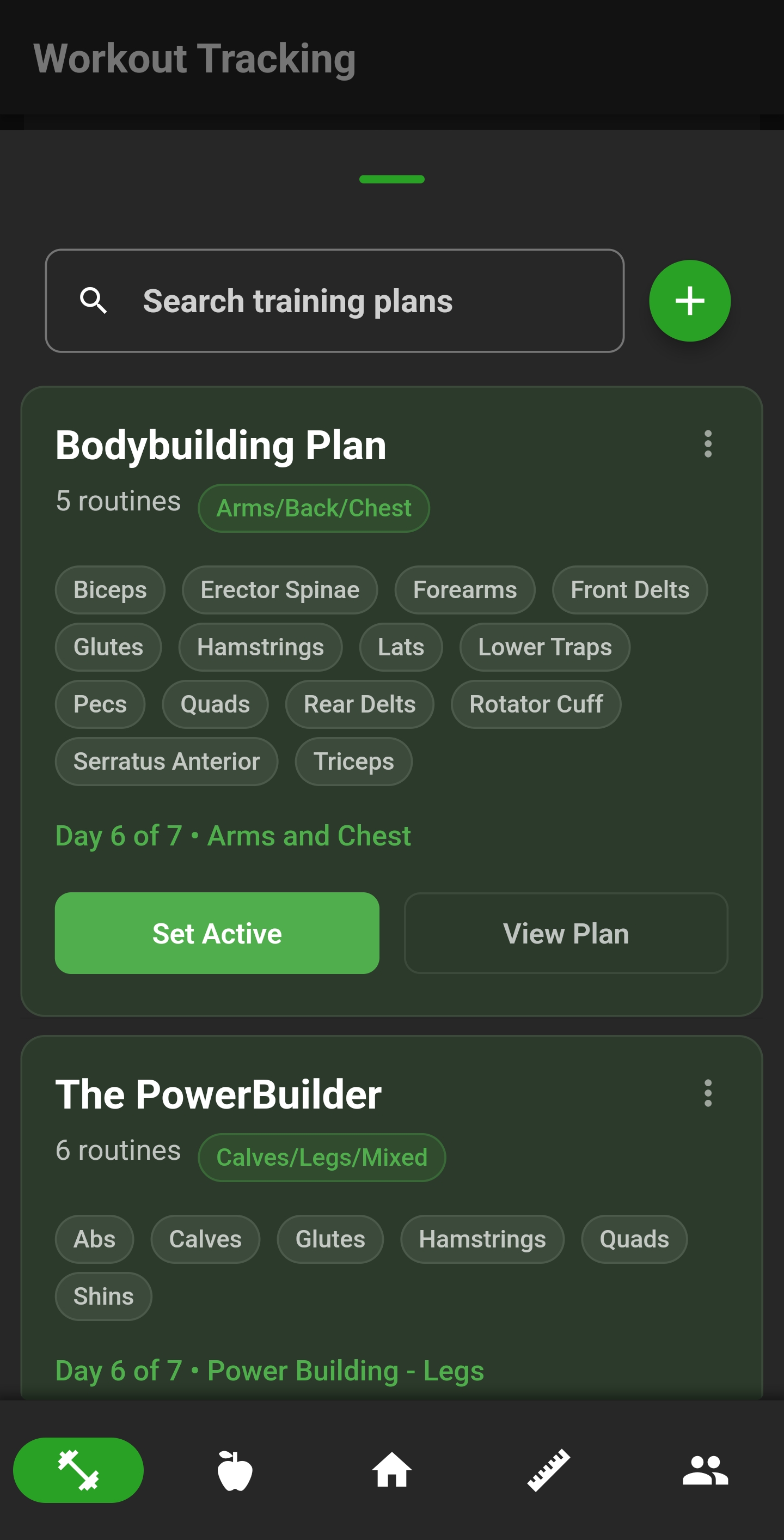
Create training plansBuild custom routinesAdd exercises to routine daysUse active training plan flows
Training plans and routines
Create structured training plans with routines and exercises, then keep today's training visible through app navigation and dashboard tiles. NutriMotion is designed around repeatable training rather than isolated one-off logs.
- Create training plans
- Build custom routines
- Add exercises to routine days
- Use active training plan flows
- Import or share training plans where supported
Workout logging
Log sets, reps and weight during a workout with a flow designed to stay out of the way while training. Workout logs become part of your history so progress can be reviewed later.

- Track sets, reps and weight
- Save workout history
- Review completed logs
- Share completed workout logs through social/share-card flows
Exercise progress
NutriMotion can show how individual exercises are progressing over time, including graphs, goals, muscle targeting and exercise-level detail.

- Exercise progress graphs
- Exercise goals
- Exercise muscle breakdown
- Visual muscle targeting
- Training calendar and workout history
Workout recaps and personal bests
After a workout, NutriMotion can surface achievements and personal bests in a cleaner recap format, making progress easier to understand and share.
- Workout recaps
- Personal best detection
- Shareable achievement cards
- Gallery/share support where available in app
Questions about workout tracking
Open the Workouts tab, choose or create a training plan, then add a routine inside it. Add exercises to the routine, set the order, and organise it around the way you train. Routines can be used for split days such as push, pull, legs, upper, lower, or any custom structure.
Open the Workouts tab, choose the training plan or routine you want to perform, then start the workout logging flow. For each exercise, enter the sets, reps, and weight you completed. Save the workout when finished so NutriMotion can update your history, progress graphs, personal bests, and strength rankings.
Yes. NutriMotion supports exercise search and custom exercise creation. You can also adjust exercise muscle targets where supported, which helps keep muscle diagrams, routine coverage, and training analysis accurate to how you actually perform the movement.
The Workout Coach is designed to guide the next step of a workout by showing suggested weights and reps during exercise logging. It helps users avoid guessing what to do next, especially when progressing a plan over multiple sessions.
See how workout tracking fits into the full app
NutriMotion connects food, workouts, cardio, progress and social tools so each area supports the others.