Open the Workouts tab and choose the cardio or GPS tracking option. Select the activity type, allow location permissions if prompted, then start the workout. NutriMotion records route data while the workout is active and saves a summary when you finish.
Back to Features
Feature guide
Plan a route, follow it and track every session in NutriMotion
NutriMotion brings route planning and outdoor cardio together. Generate a route near you, draw your own, open a route shared by another user, then follow it with mapped directions while your GPS workout is tracked.
Generated routesCustom routesSaved routesShared routes
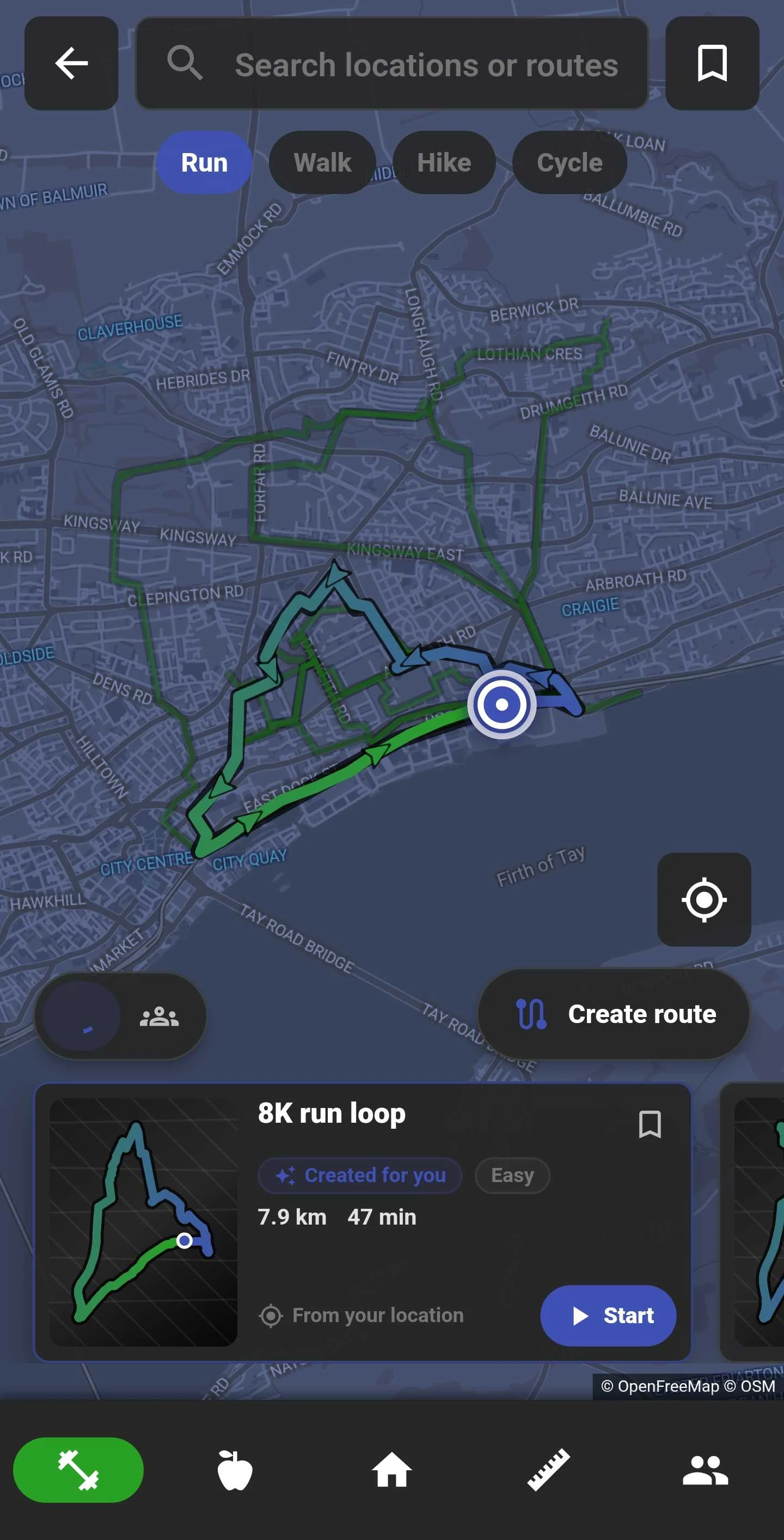
Create or discover a route
Use the Route Map to generate routes near your current location, create a custom route, save routes for later, or open a route another NutriMotion user has shared with you.
- Generated routes
- Custom routes
- Saved routes
- Shared routes
- Running, walking, cycling and hiking
Follow directions as you move
Start a chosen route and keep the route line and directions visible while NutriMotion tracks the activity. Supported Apple Watch and Wear OS devices can show the route and directions on your wrist.
Generate a route video
Open a completed GPS activity and choose Generate video. Create an animated flyover of your route, then save the finished video or share it.
GPS workouts
Choose running, cycling, walking or hiking and start tracking from your phone or watch. You do not need a planned route: record wherever you go, or choose a route when you want directions.
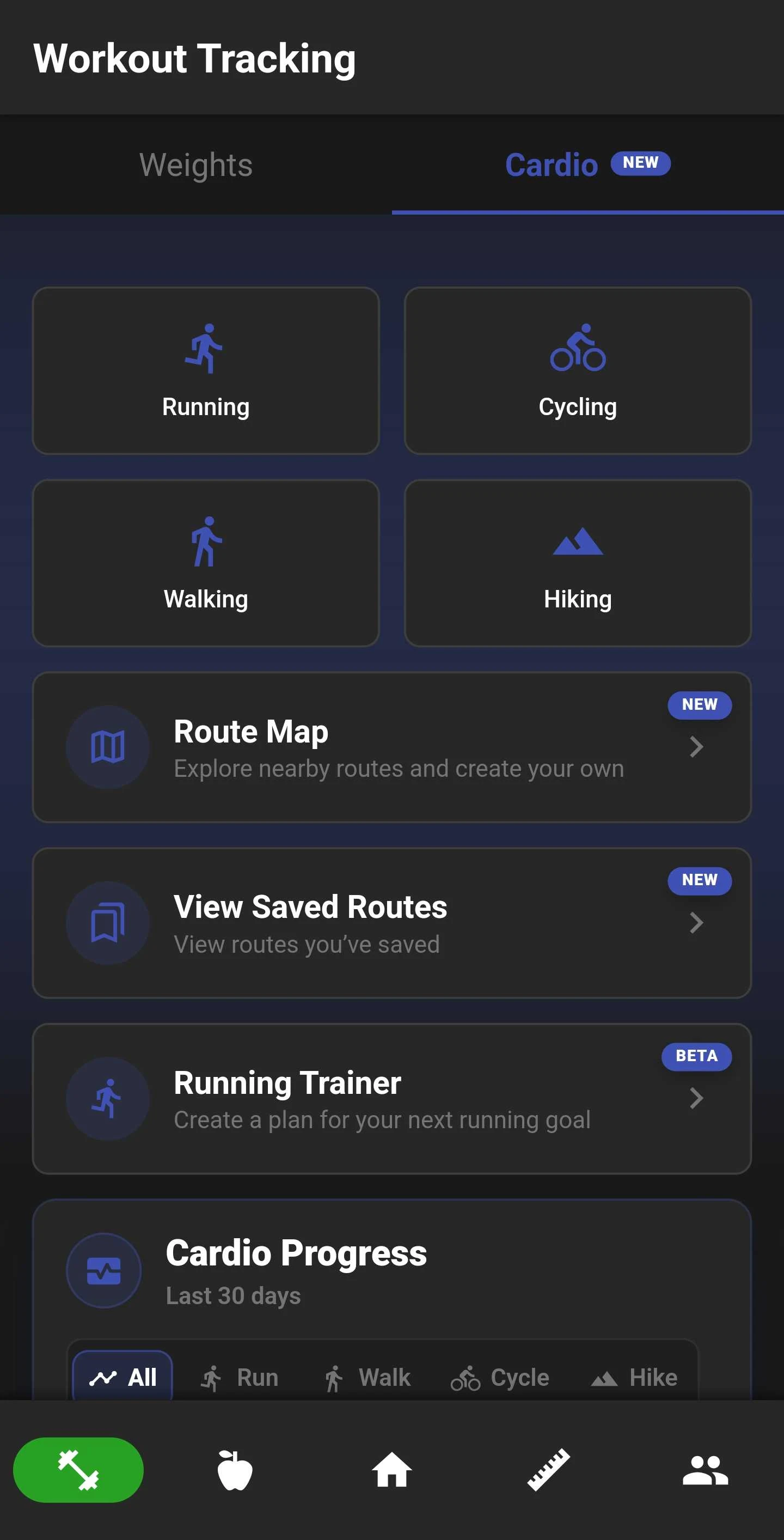
- Running
- Cycling
- Walking
- Hiking
- Active session continuation
- Location and notification permission onboarding
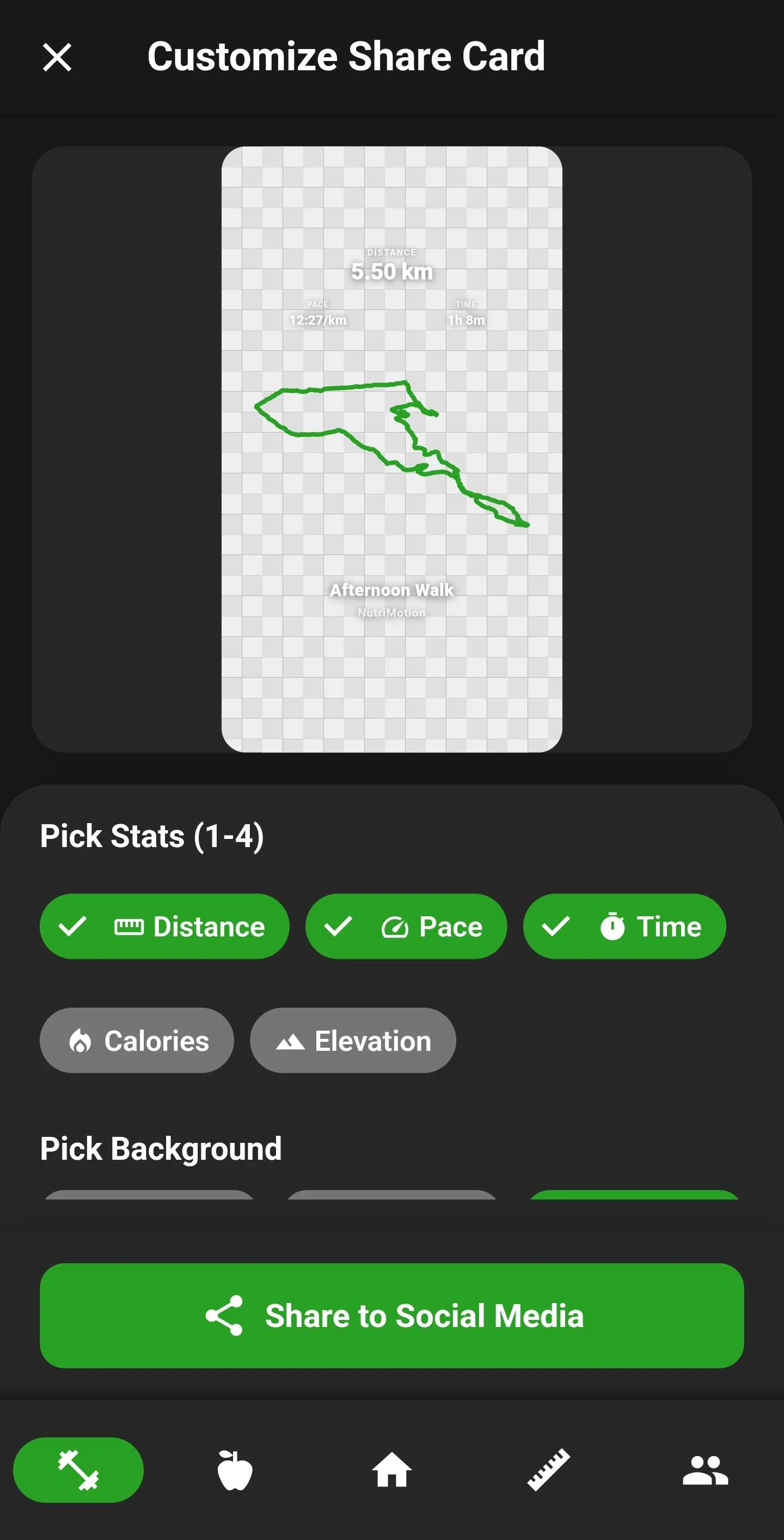
Share stickers
Choose the stats to include, add your route outline and select a background or transparent sticker. Share your activity to social media in a format that suits you.
Route summaries
Saved GPS workouts can open into route summaries, making it easier to review what happened after the session rather than only seeing a basic duration.
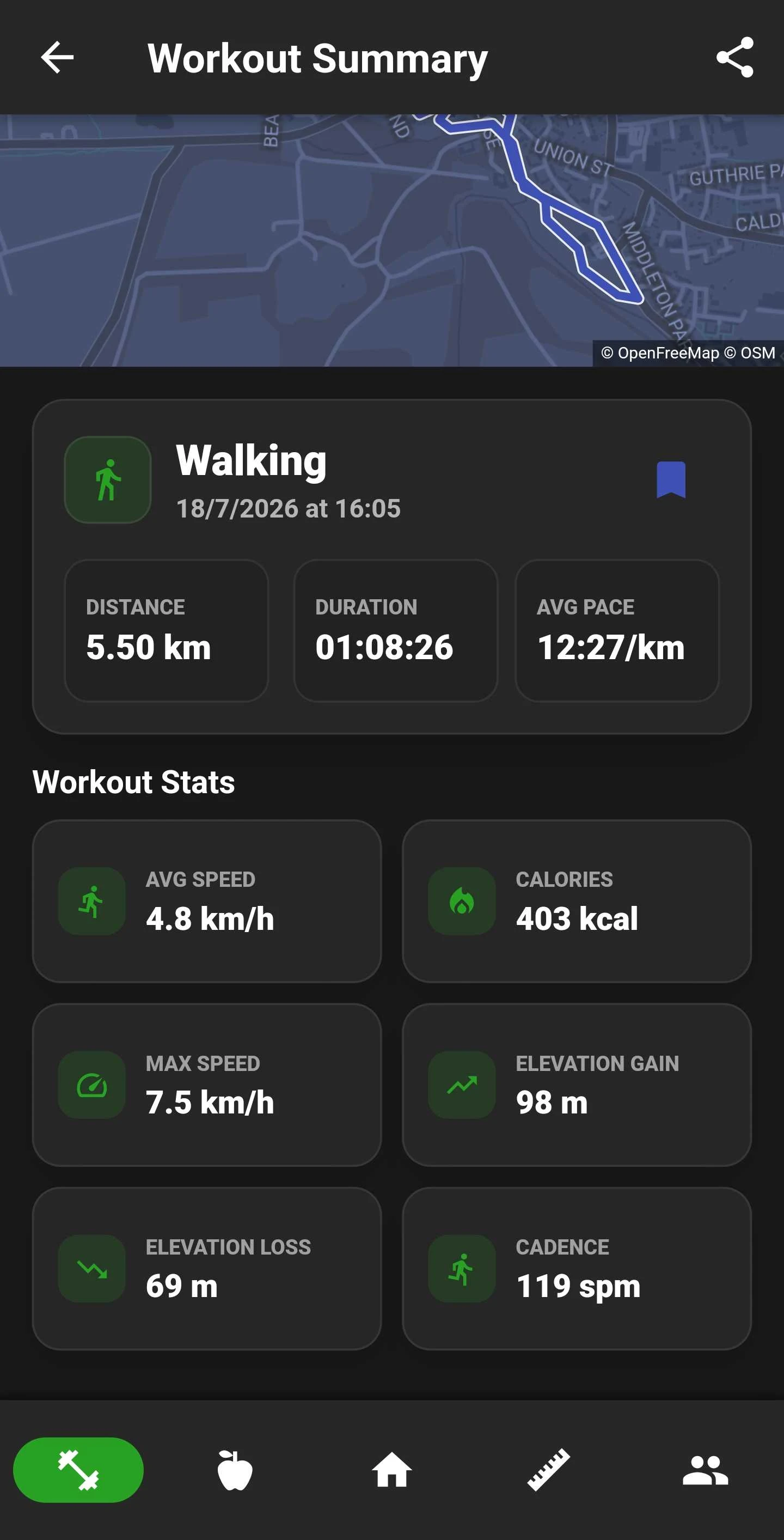
- Route map
- Distance
- Duration
- Pace
- Calories
- Elevation where available
Cardio history
NutriMotion keeps recent cardio workouts visible so users can review recent sessions and open saved route summaries when route data exists.

Phone and wearable flow
NutriMotion keeps phone, Apple Watch and Wear OS cardio flows connected. Supported watches can show the route over a map and provide directions directly on your wrist.
Questions about cardio and gps
Yes. The Route Map can generate routes near your location, and you can also create and save a custom route for running, walking, cycling or hiking.
GPS routes need location access so NutriMotion can record distance, route, pace, and map data while you are moving. If location permission is denied, the app may not be able to start or accurately track outdoor cardio sessions.
Open the Workouts tab and go to the cardio history or activity history area. Completed runs, walks, cycles, and hikes appear with key details such as distance, duration, date, pace, calories, and route summary information.
Related features
See how cardio and gps fits into the full app
NutriMotion connects food, workouts, cardio, progress and social tools so each area supports the others.