Open Home to see your weight goal, calorie and macro totals, steps, water and calorie trend, with quick actions for food logging and the Route Map.
Back to Features
Feature guide
Your daily progress at a glance in NutriMotion
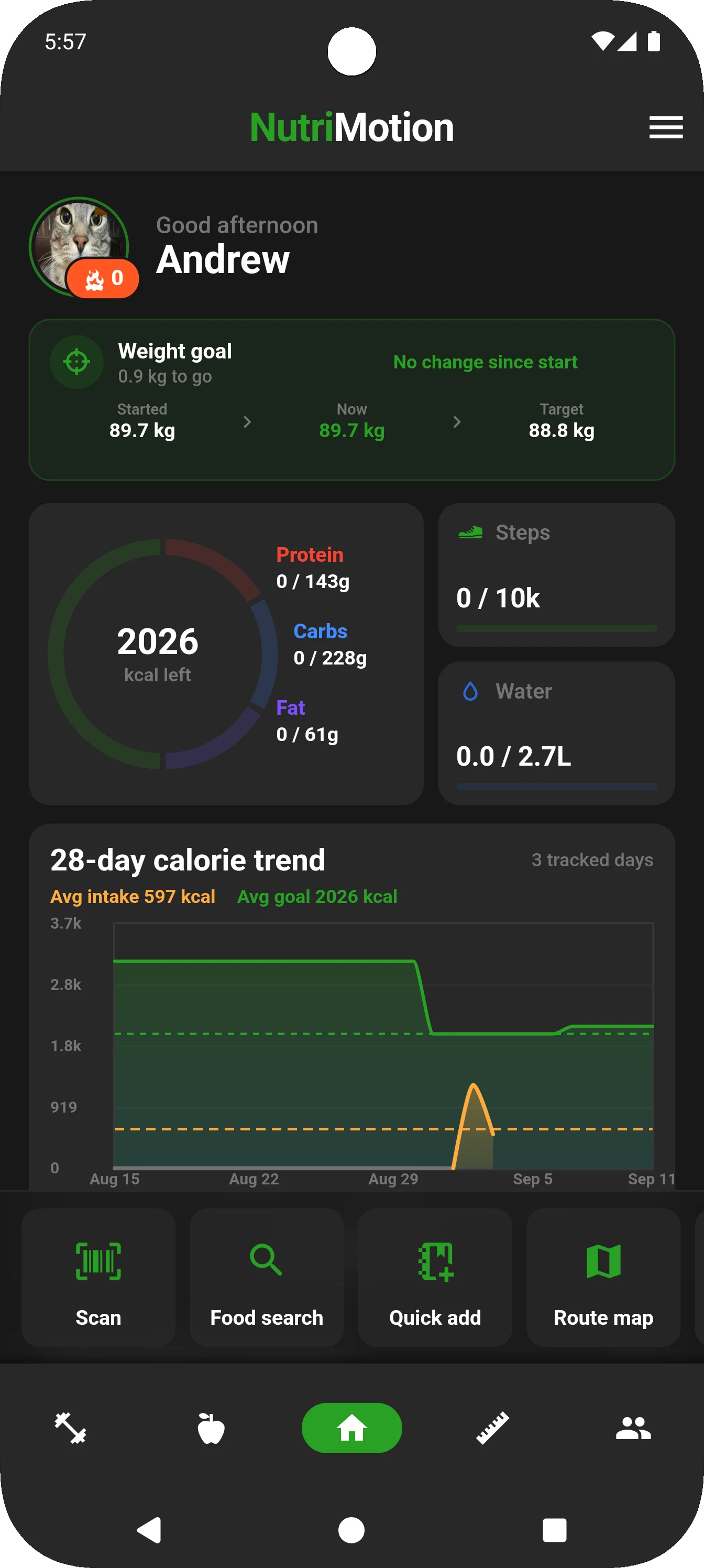
The NutriMotion dashboard keeps daily nutrition, weight goals, steps, water and calorie trends visible, with quick actions for scanning food, searching, quick-add and opening the Route Map.
Weight goal and current weightCalories and macrosSteps and water28-day calorie trend
Daily overview
See calorie and macro progress, weight goals, steps, water and recent trends together when you open the app.
- Weight goal and current weight
- Calories and macros
- Steps and water
- 28-day calorie trend
- Food logging shortcuts
- Route Map shortcut
Quick actions
Go straight from the dashboard to scan food, search the food database, quick-add a meal, start training or open the Route Map without digging through menus.
Why it matters
A good dashboard reduces the amount of digging needed to understand the day or start tracking. NutriMotion keeps the most useful information and actions close together.
Questions about dashboard
Open Home and tap Route map in the quick-action row to browse generated routes or create a custom route.
The Home dashboard includes a 28-day calorie trend showing logged intake alongside your calorie goal. Log food to add data to the chart.
Yes. The home dashboard can include nutrition shortcuts and meal category selection. When prompted, choose Breakfast, Lunch, Dinner, or Snacks, then continue into the food logging flow.
The dashboard uses app data from your logs, goals, health connections, and workout state. If something looks stale, refresh the app, check your internet connection, and confirm the relevant feature is connected or enabled.
See how dashboard fits into the full app
NutriMotion connects food, workouts, cardio, progress and social tools so each area supports the others.